Macros
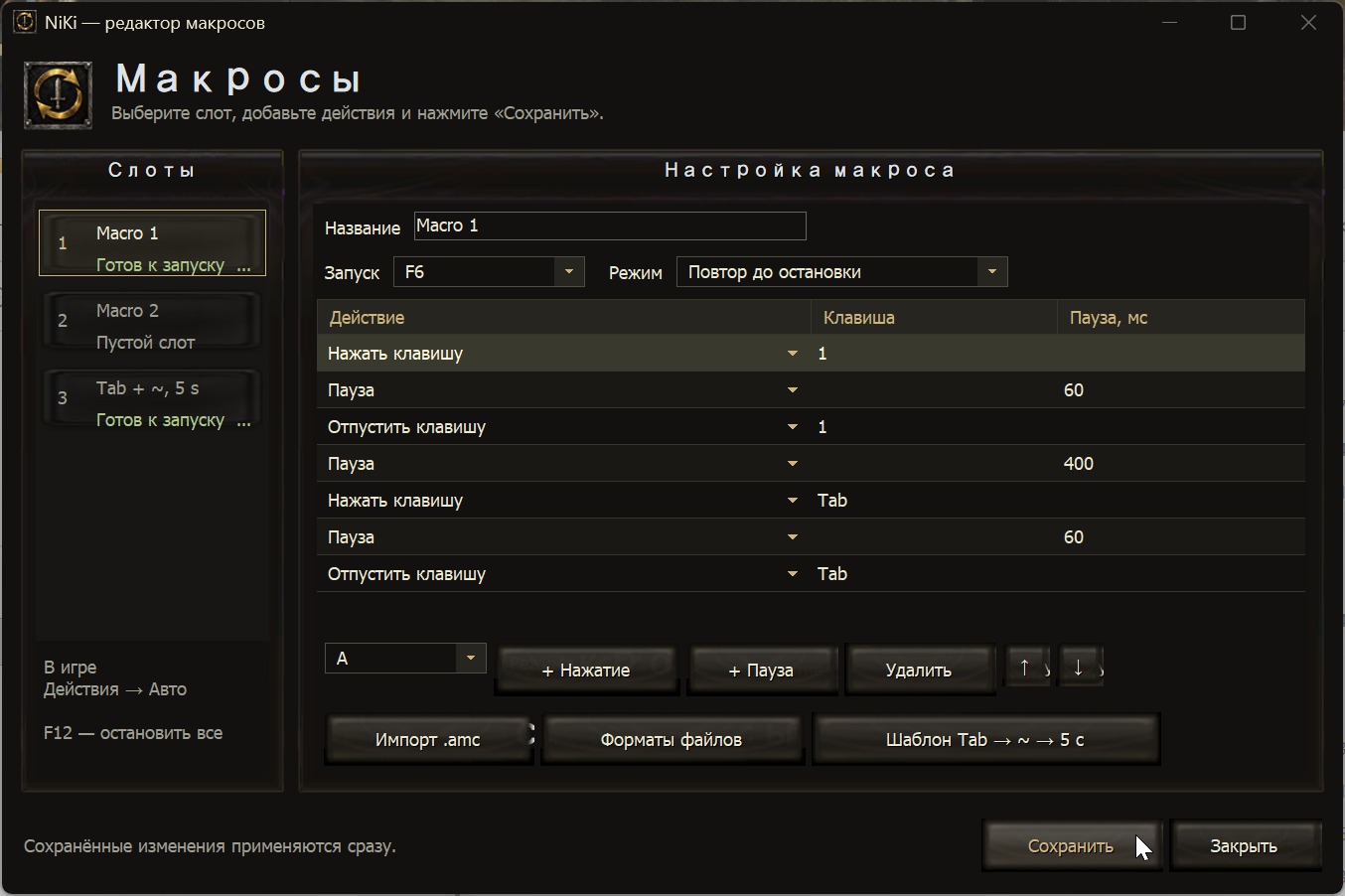
Open the editor with the “Macros” button in the launcher.
There are three slots: create a sequence of key presses and pauses, then choose run once, run while held, or repeat. Importing simple OSCAR .amc keyboard scripts is supported.
A quick-start template is included: Tab → attack on ~ / Ё → pause for 5 seconds → repeat.
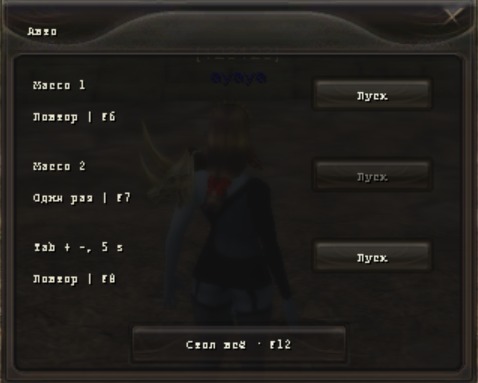
After saving, configured slots become available in the game under “Actions” → “Auto”. The action itself can be moved to the quickbar. Changes take effect without restarting the game.
The default start keys are F6 / F7 / F8; F12 stops all macros. Only one script runs at a time.